


Stock management
for WooCommerce
Manage WooCommerce stock from one connected workflow. Adjust quantities by location, receive deliveries, scan products, update prices and understand what’s moving—with tools in WordPress and the Stokkap app.
- 14-day free trial
- WordPress plugin + app
- Your stock, in sync
Find it. Update it. Know what’s next.
From a stock correction in WordPress to a delivery on the warehouse floor. Keep your daily stock workflows connected with Stokkap.
Inventory management platform for WooCommerceLess clicking.
More doing.
Stock Control, useful filters and Quick Lookup keep everyday changes in reach.
Explore the WordPress tools → 02 / OPERATEFrom delivery
to shelf.
Tally incoming stock in the plugin or app. Add references, update products and change prices in the app.
See the app workflows → 03 / UNDERSTANDSee what moves.
Plan what’s next.
Stock activity, location valuation and restock forecasts turn records into decisions.
Explore stock reports →Manage WooCommerce stock from one workspace
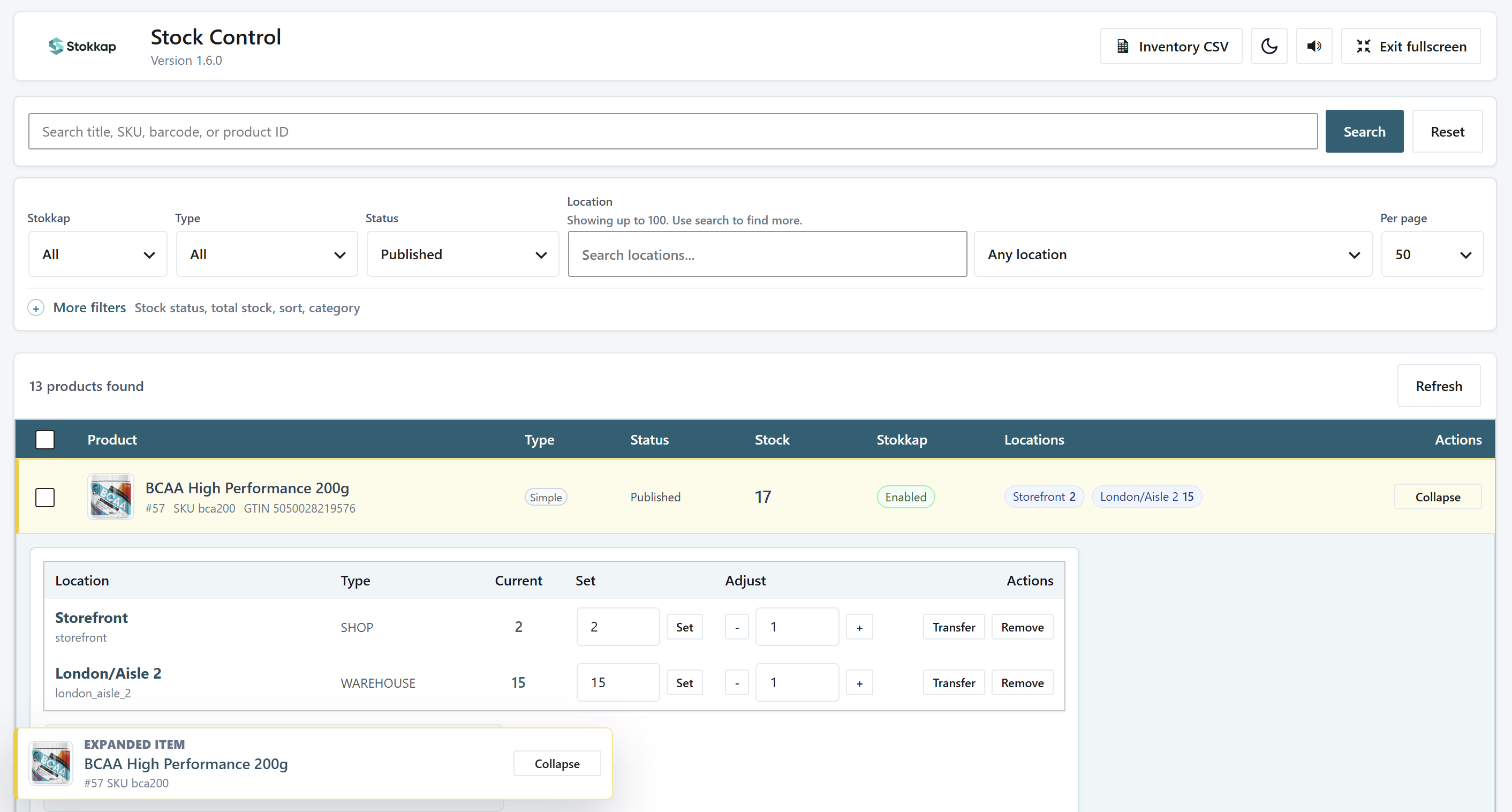
Open Stock Control in its full-screen workspace to manage WooCommerce stock without moving through individual product edit screens. See quantities by stock location, set an exact count or increase and decrease stock, and apply changes immediately.
Adjust stock status and manage location stock in bulk. Use the same workspace for quick corrections on the shop floor and larger updates across your catalogue.
Explore stock locations for WooCommerceFind the stock that needs attention
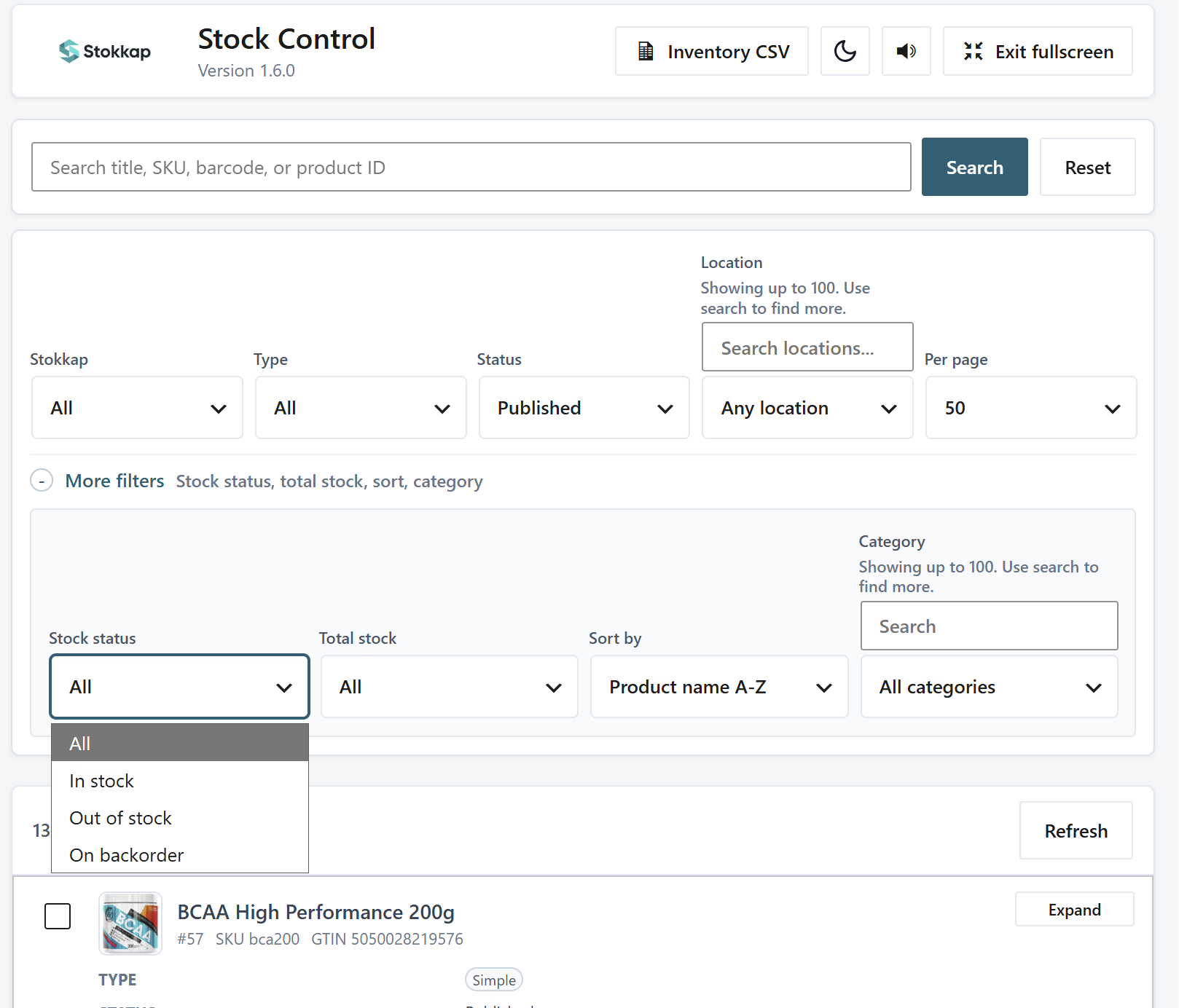
Search by product name, SKU, barcode or product ID. Filter by location, product type, publication status, stock status, total stock and category to narrow a large catalogue down to the products you need.
Find out-of-stock products, check a particular stockroom, or work through a category. Stock Control keeps the product list and location quantities together.
Import and export stock by location with Inventory CSV
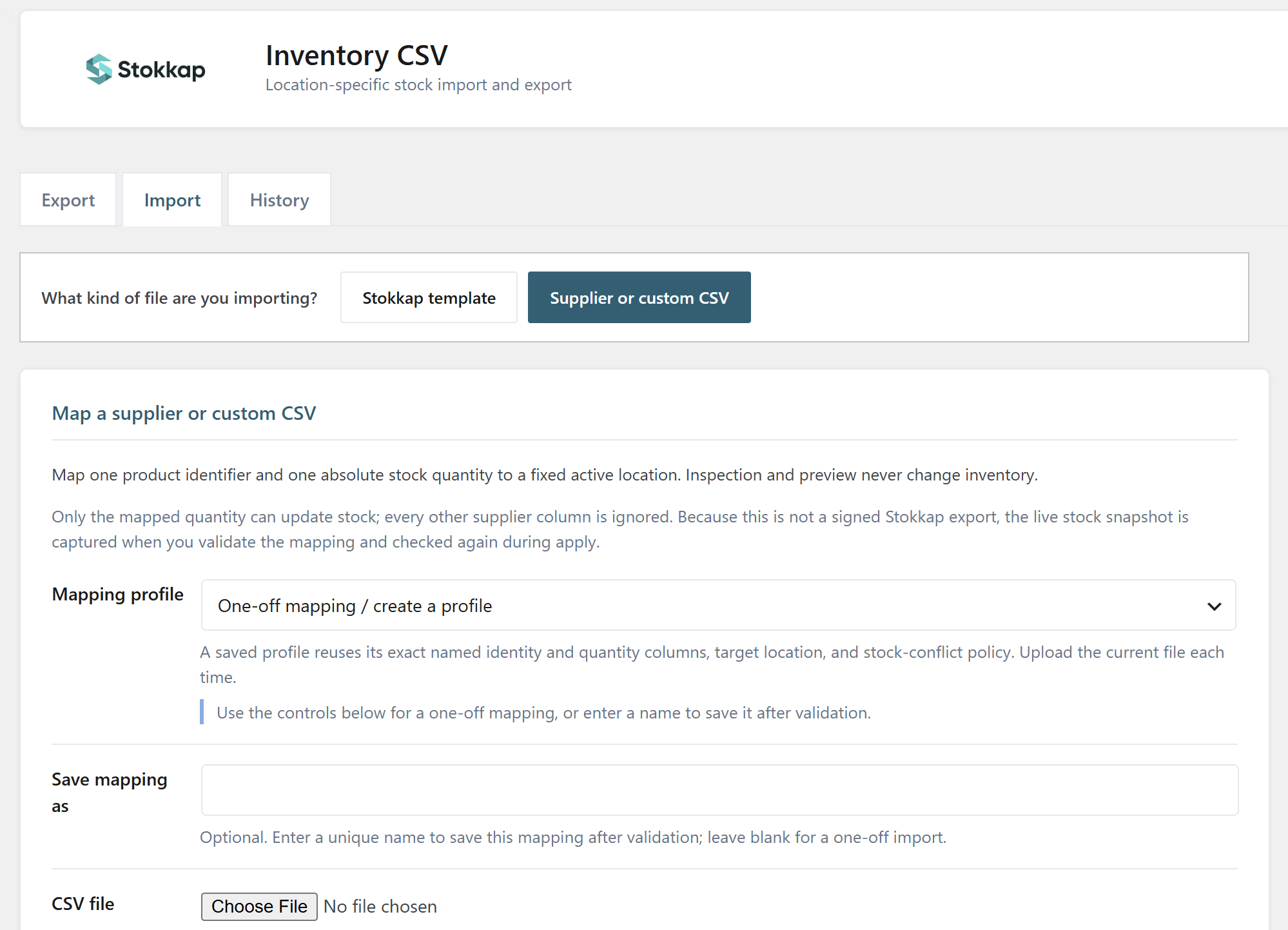
Use inventory CSV import and export for bulk stock management in WooCommerce. Update a location from a supplier stock sheet, prepare quantities in a spreadsheet, or export location stock for review.
For supplier or custom CSV files, map a product identifier and an absolute stock quantity to a selected location. Preview and validate the mapping before applying it. Save a mapping profile to reuse with the next uploaded supplier sheet.
Scan a barcode. Find a product. Make the change.
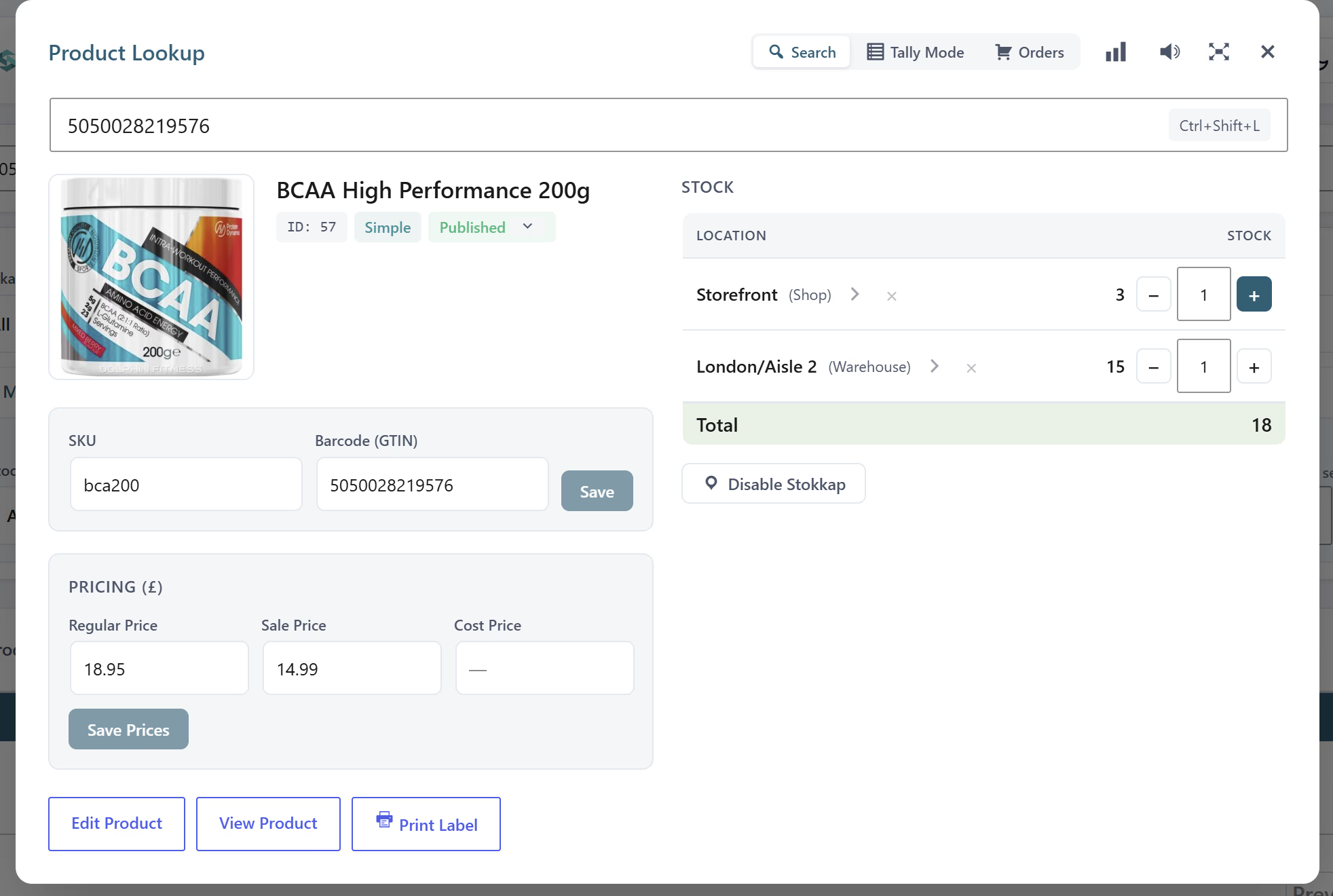
Scan a barcode or search for a product to make a quick correction. Update stock, regular and sale prices, cost price, or the product image from Quick Lookup, then print a label when you need one.
Keep everyday product changes close to the task in hand: correct a shelf quantity, update a price or prepare a label without navigating through WordPress product screens.
Tally stock in from the plugin or app
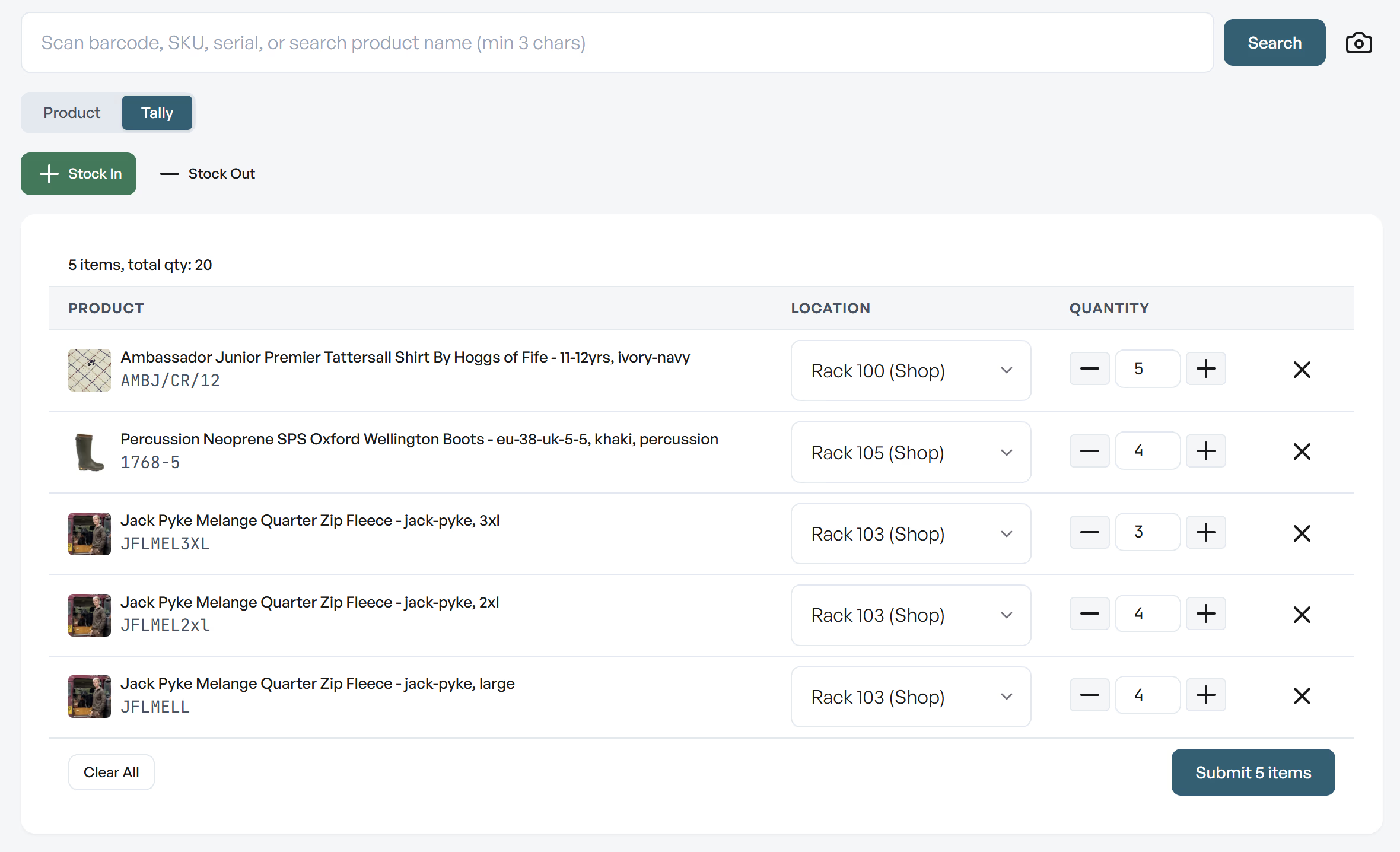
Use stock-in Tally in the WordPress plugin or the Stokkap app for larger deliveries. Scan products or search by name, build a list, select locations and review quantities before submitting the batch.
For stock operations that need a delivery or adjustment reference, use the app’s managed stock-in workflow. Choose where the stock belongs so receiving updates the right location. The app also provides a stock-out mode.
Manage product stock and variations in the app
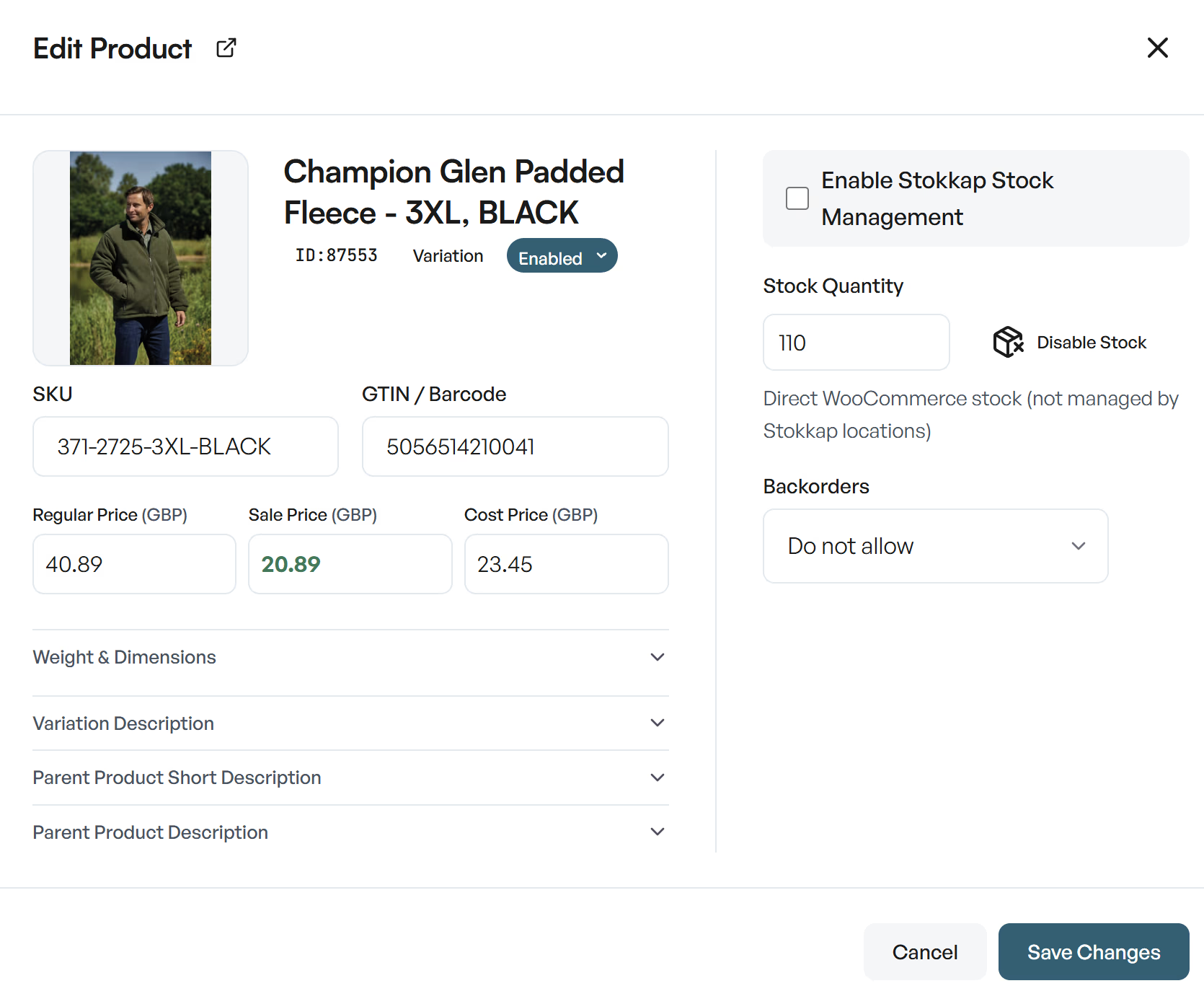
Open the product edit modal to update a product without returning to WordPress admin. Work with SKU and barcode fields, regular, sale and cost prices, stock quantity and backorder settings.
Manage stock for individual WooCommerce variations as well as simple products. The product editor distinguishes direct WooCommerce stock from stock managed through Stokkap locations, and lets you enable Stokkap stock management.
Bulk price changes for a category or your whole store
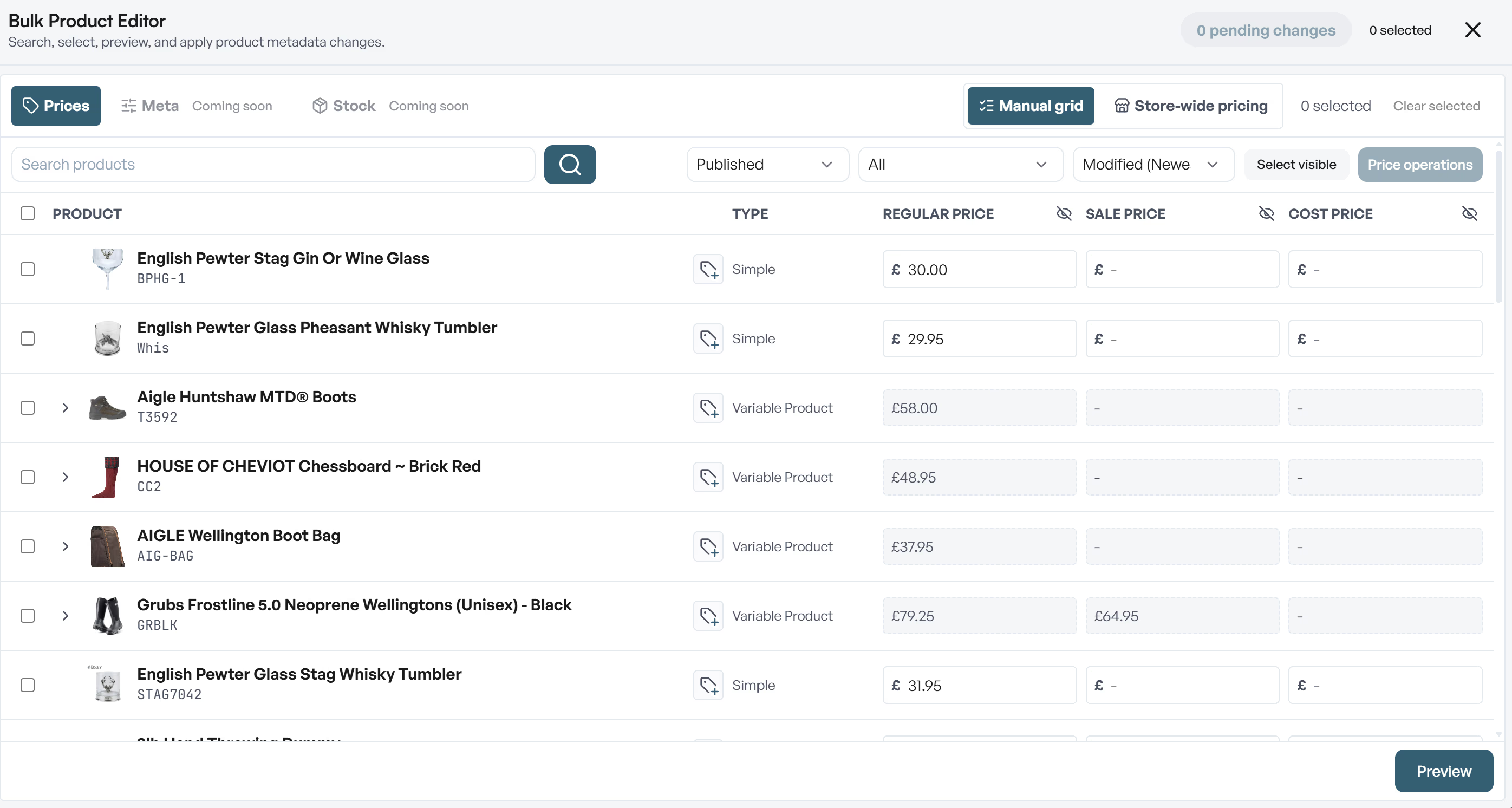
Use the Bulk Product Editor’s pricing grid to review and change prices across selected products. Regular, sale and cost prices appear together, with a preview before you apply your changes.
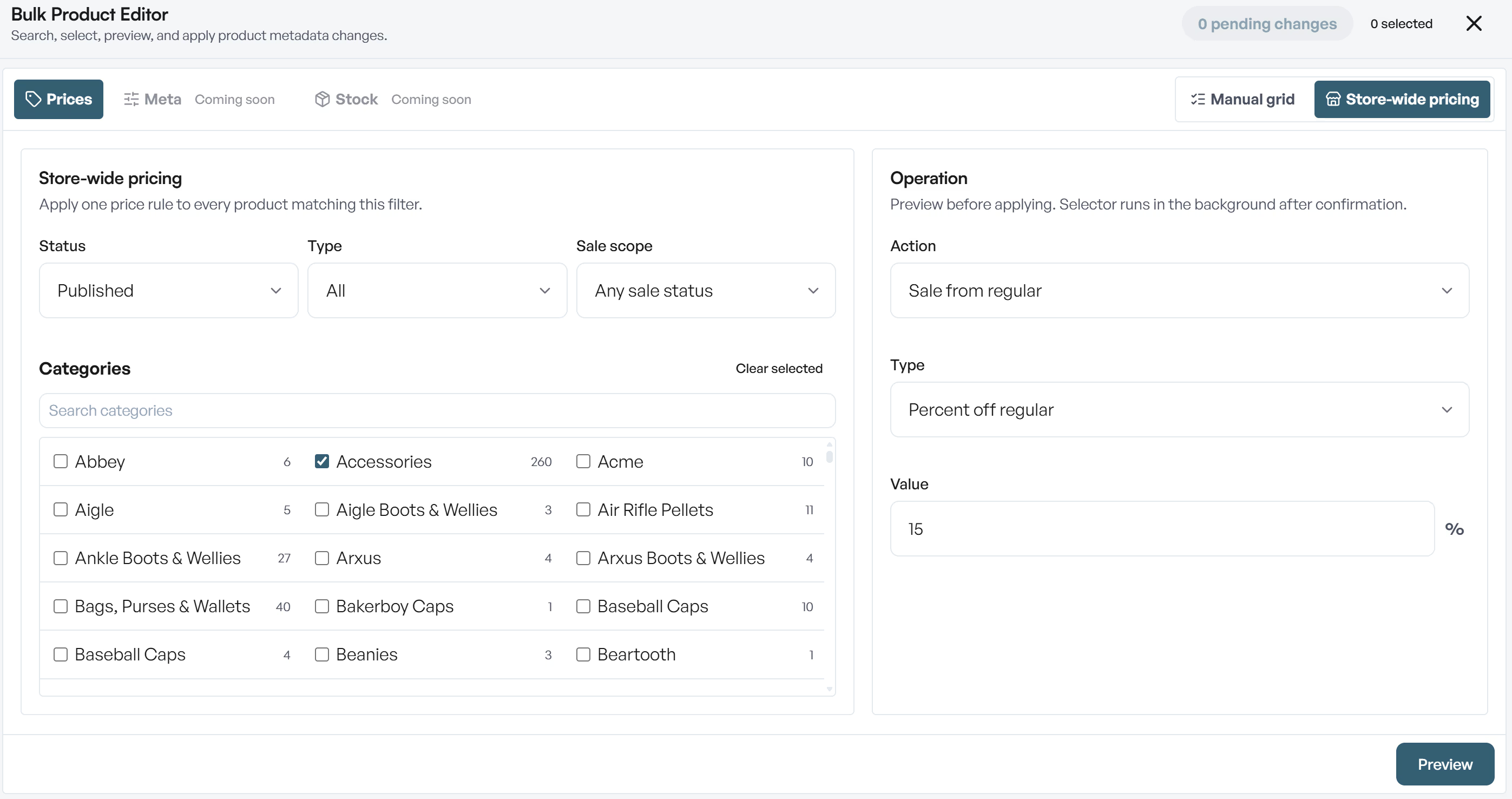
For wider changes, use store-wide pricing: filter products by category, type, publication or sale status, then apply a pricing operation. Set up a category discount, change prices across the store, or remove sale prices when a promotion ends.
Your stock has a story.
See the whole picture.
Understand movement, see where value is held and plan your next restock. All exportable from the app.
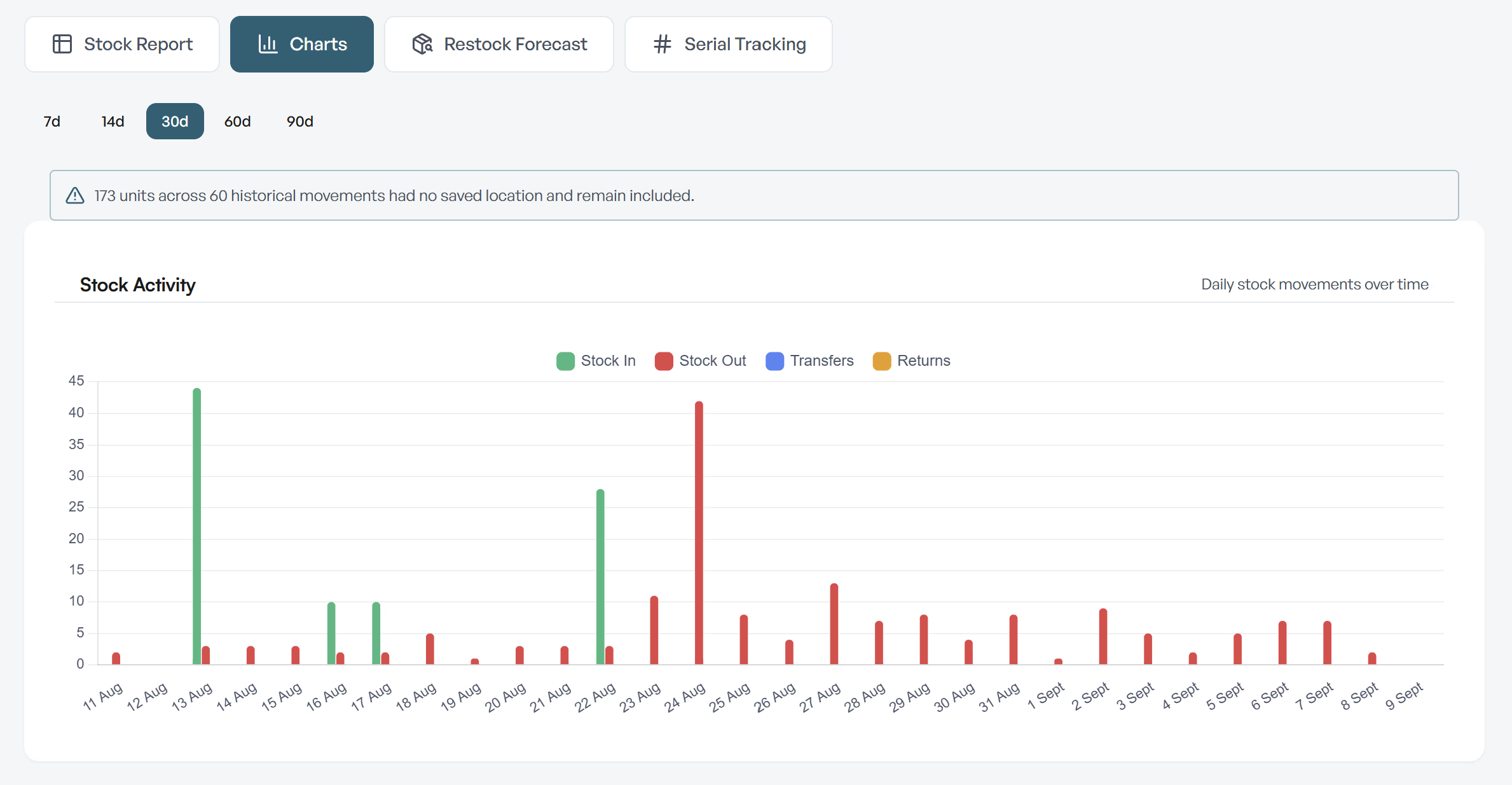
Stock reports that show what is moving
Review stock activity over time, including stock in, stock out, transfers and returns. Choose a reporting period to understand movements and export reports for further analysis.
Use the reports alongside everyday stock control to investigate changes and understand which products need attention. Stock movement gives you a broader picture than sales alone.
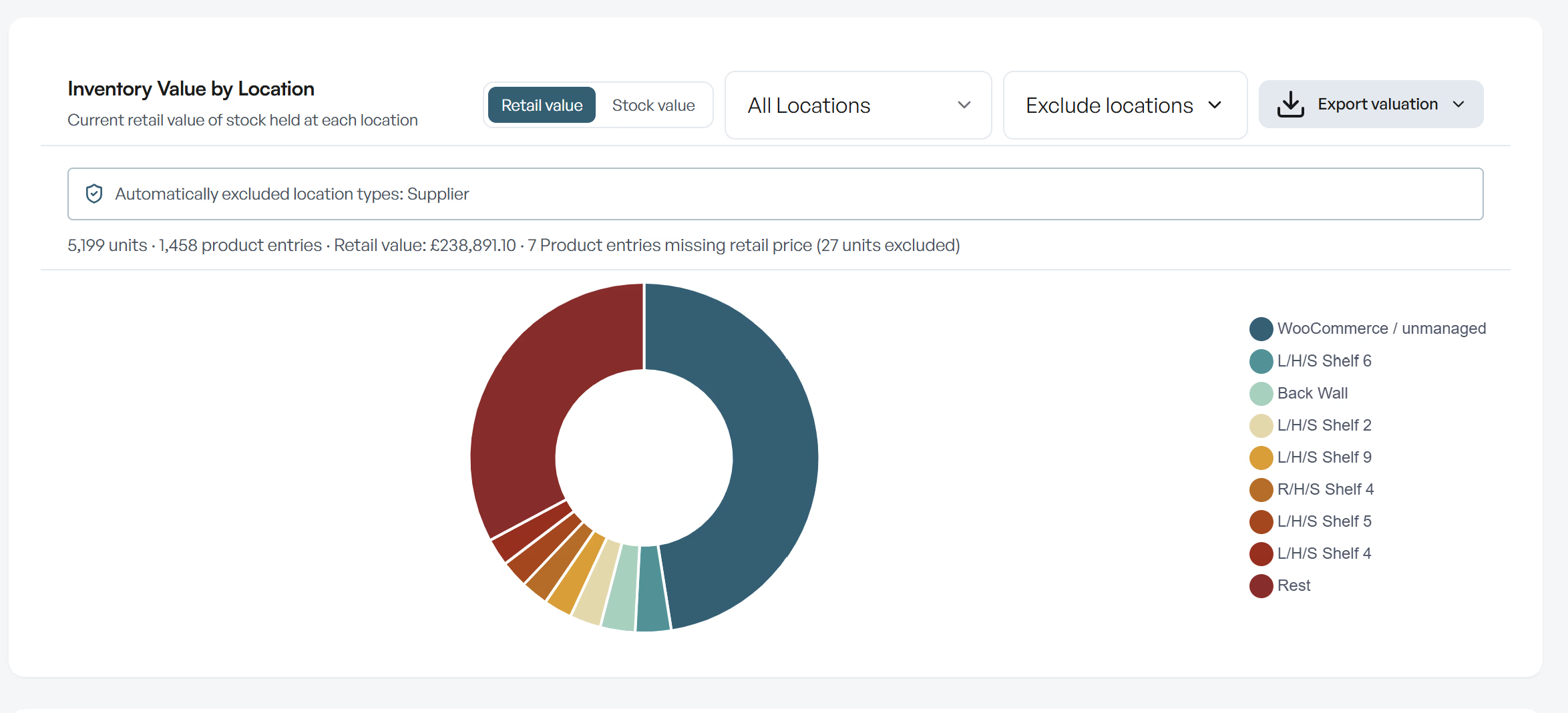
Inventory valuation by stock location
See the value held in each location, switch between retail value and stock value, and export the valuation. Location filters and exclusions help you focus on the inventory relevant to your review.
The report identifies missing price data, and supplier location types are automatically excluded in the view shown here. That makes it easier to distinguish stock held by suppliers from the inventory you are valuing.
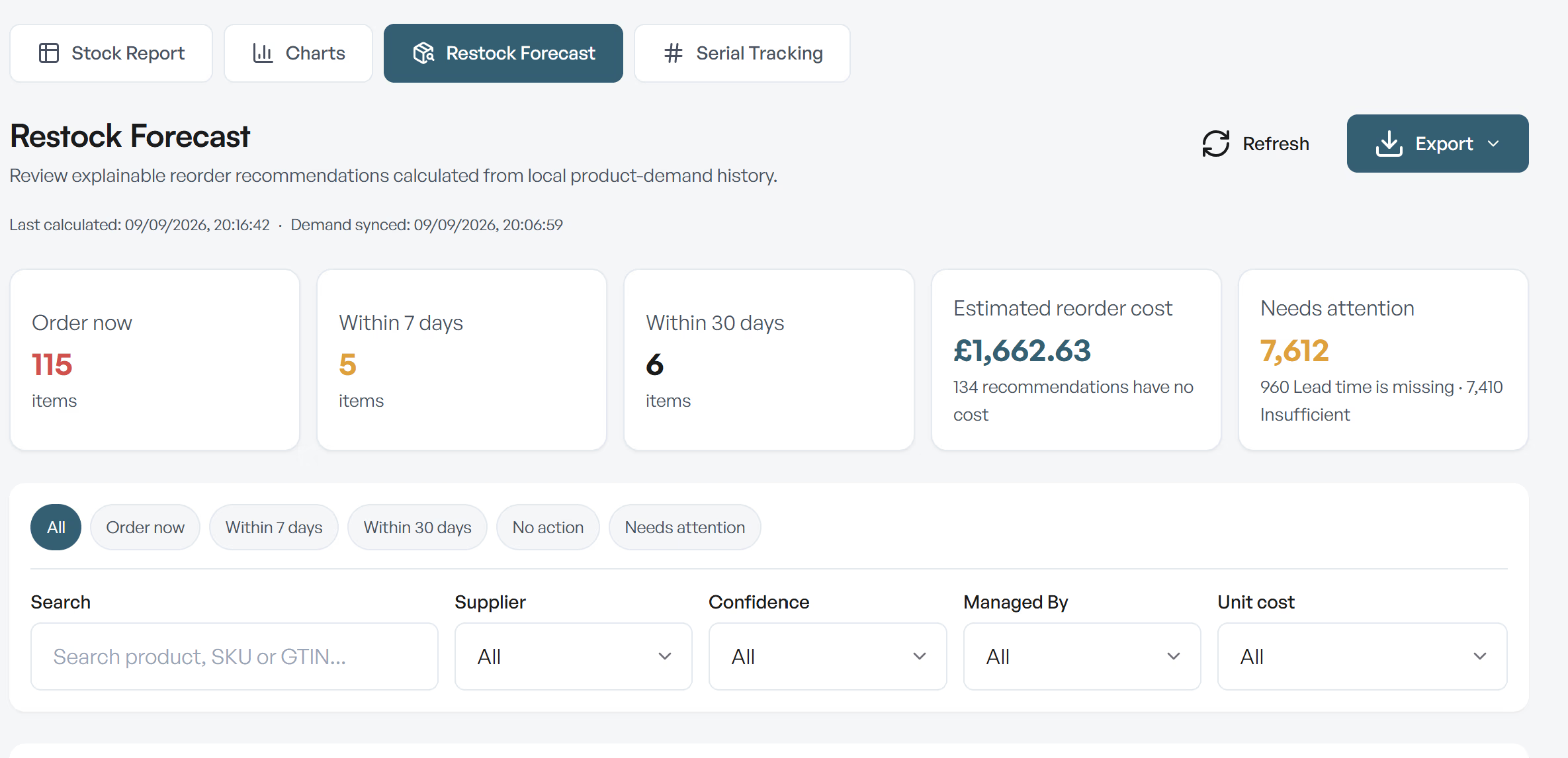
Restock forecasting to plan your next stock-in
Review reorder recommendations calculated from product demand history. See items to order now, within seven days or within thirty days, alongside estimated reorder costs.
Filter by supplier, confidence and stock management method, then export the forecast for planning. Missing lead times, costs or insufficient history are flagged so you can check the data behind a recommendation.
Stock management questions
Answers about stock control, location imports, product updates and reporting for WooCommerce.
How do I manage stock in WooCommerce with Stokkap?
Use Stock Control in the WordPress plugin for stock adjustments, stock status changes and location management. Use Quick Lookup for individual product changes, Inventory CSV for spreadsheet updates, and stock-in Tally in either the plugin or app. The app also provides managed receiving, product editing, bulk pricing and reports.
Does Stokkap support bulk stock management?
Yes. Stock Control supports bulk management of location stock, while Inventory CSV imports and exports stock quantities by location. In both the WordPress plugin and app, stock-in Tally lets you collect multiple items before submitting them together. Bulk pricing is a separate workflow for product prices.
Can I update supplier stock from a CSV file?
Yes. Inventory CSV supports supplier or custom files. Map the product identifier and stock quantity to the target location, validate and preview the import, then apply it. Saved mapping profiles can be reused when you upload a new supplier sheet.
Can I manage stock for variable products and variations?
Yes. The app’s product editor supports individual variations, including stock quantity, backorders, SKU, barcode and pricing. Work with the specific variation so the update applies to the size or colour you intend.
Do I need multiple shops to use stock locations?
No. A location can be a shelf, stockroom, warehouse, van or shop. One premises can contain several stock locations. Separate WooCommerce websites are handled through Stokkap’s multi-store features.
Can I export stock reports and forecasts?
Yes. Stock reports, inventory valuation and restock forecasting are exportable. Review movement history, value by location and reorder recommendations in the app, then export the information for further analysis.
Is there a free trial?
Yes. Try Stokkap free for 14 days to explore the WordPress plugin and app workflows. See the pricing page for subscription and lifetime options.
A clearer view of stock.
A faster way to manage it.
Try Stokkap free for 14 days. Explore Stock Control and stock-in Tally in WordPress, plus receiving, product updates, pricing and reports in the app.